Guide for SMEs: How to build your digital profile with free and low-cost tools
Building a coherent digital ecosystem requires prioritizing the website as an owned asset over social media. This guide details the fundamental structure (web, email, analytics) and offers criteria for selecting free or low-cost tools, optimizing the annual budget through the 70/20/10 method.
The website as an owned asset: the foundation of digital strategy
The most frequent error in the digitalization of small and medium-sized enterprises is to pour the initial investment into social media or paid advertising without a solid base. Social platforms operate on "rented ground": algorithms change, advertising costs fluctuate, and visibility depends on third parties. In contrast, the website is the only owned digital asset that allows controlling the brand narrative, centralizing information, and capturing customer data directly.
For most SMEs, especially in B2B sectors or specialized services, the website must fulfill three essential technical functions:
Clear value proposition: The user must understand what the company offers and whom it helps within the first five seconds.
Conversion architecture: Simple forms, visible call-to-action (CTA) buttons, and accessible contact data on any page.
Technical performance: A load time exceeding three seconds or poor adaptation to mobile devices causes the loss of visits before the content is read.
Tool selection: selection criteria and low-cost options
The accumulation of loose tools without a prior strategy generates unnecessary costs and operational complexity. Selection should be based on three criteria: scalability, total cost of ownership, and integration capability with the rest of the ecosystem.
Below, a reference selection of tools is presented, organized by category, prioritizing free or low-cost options that are standard in the market for SMEs:
Category
Reference Tools (Free/Low cost)
Main Function
CMS (Content Management System)
WordPress
Flexibility and scalability. Ideal for corporate websites and blogs.
Web Analytics
Google Analytics 4
Measurement of traffic, user behavior, and conversions.
Email Marketing
Mailchimp (limited free plan), Brevo
Automation of communications, newsletters, and lead capture.
CRM (Customer Relationship Management)
HubSpot CRM (free), Odoo (community version)
Management of sales pipeline, contact follow-up, and tasks.
Local SEO
Google Business Profile
Visibility on maps and local searches. Essential for physical businesses.
Design and Creativity
Canva (free plan)
Creation of visual assets for social media and web at no initial cost.
Note on selection: There is no universally "better" tool. For example, WordPress offers greater flexibility than drag-and-drop page builders, but requires more technical maintenance. Free options usually have limits on the number of contacts, monthly sends, or advanced features, which forces planning for growth to avoid costly migrations in the future.
Channel strategy: beyond social media presence
Once the website is established, the channel strategy must be selective. Trying to be present on all social networks simultaneously often generates burnout and incoherent communication. The recommendation is to start with one or two main platforms adapted to the sector:
Instagram: Ideal for local commerce, gastronomy, fashion, and personal branding.
LinkedIn: Essential for professional services, B2B, and training.
TikTok/YouTube: Effective for dynamic content, tutorials, and customer education.
Content must balance promotion with utility: testimonials, work processes, doubt resolution, and humanization of the brand. Authenticity and coherence in visual identity (same name, tone, and image) generate more trust than excessive posting frequency.
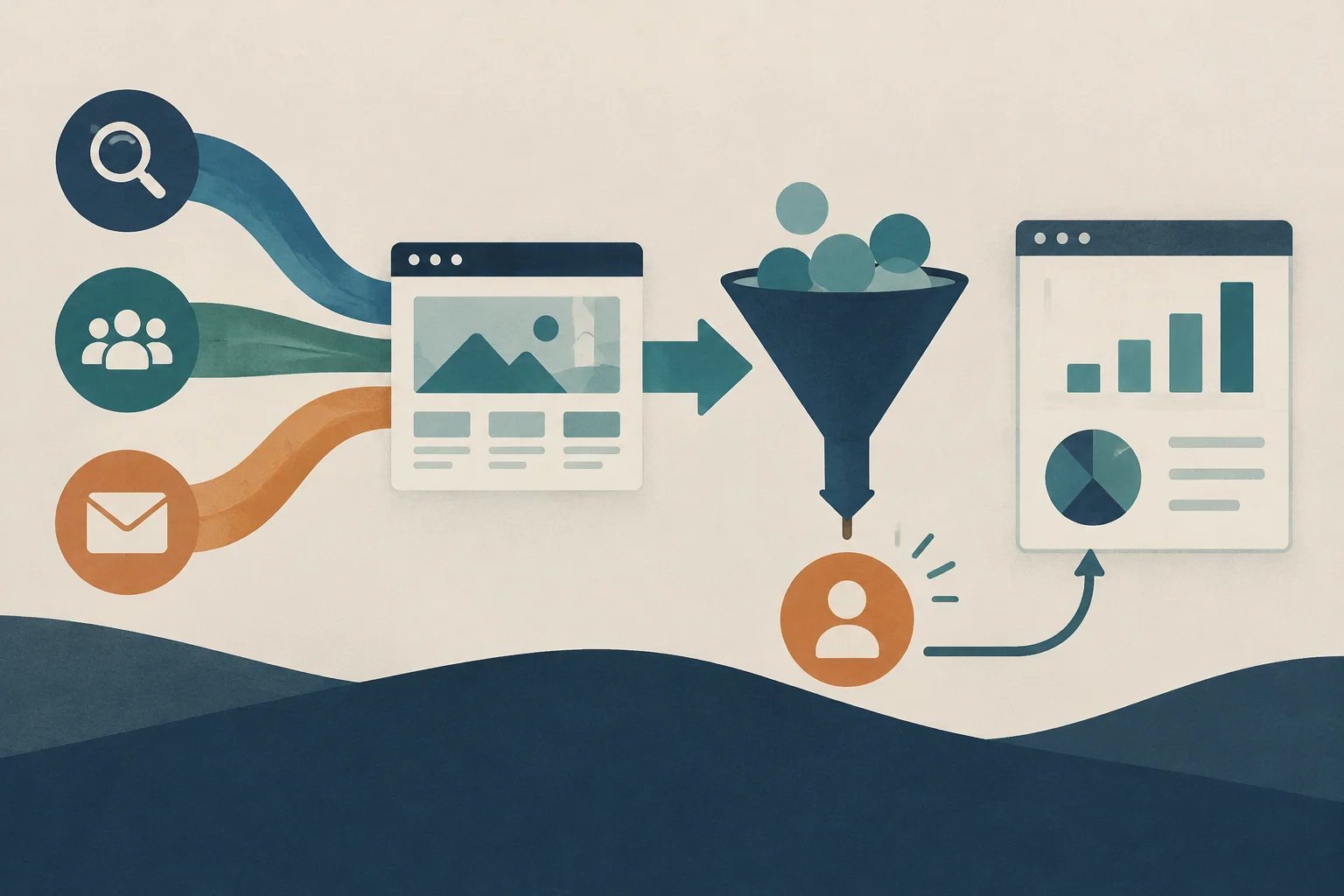
Editorial illustration · Edition Business
Measurement and analytics: visibility for decision-making
Without measurement, digital investment is blind. The implementation of Google Analytics and the tracking of KPIs (Key Performance Indicators) allow evaluating the return on investment (ROI) and adjusting the strategy.
The minimum indicators to monitor are:
Traffic and sources: Where visitors come from (organic search, social media, email).
Conversion rate: Percentage of visitors who complete a desired action (call, submit form, purchase).
Cost per Lead (CPL): How much it costs to acquire a qualified contact.
Annual digital budget: structure and 70/20/10 method
Planning the digital budget avoids improvised decisions and allows prioritizing actions with return. The budget should not focus only on advertising, but include fixed assets that sustain the operation.
Essential items
Owned assets: Professional hosting, domain, web maintenance, and security. If the website fails, investment in traffic loses efficiency.
Acquisition: SEO, advertising (Google/Meta Ads), and social media management.
Retention: Email marketing and automations for loyalty.
Tools: Licenses for CRM, analytics, and design.
Contingency: A 10% to 15% of the total budget for unforeseen events (cost increases, technical emergencies, or seasonal reinforcements).
The 70/20/10 method
A practical structure for distributing investment is:
70%: Core actions that already work and generate demonstrated results.
20%: Optimization of existing channels or new approaches with a certain database base.
10%: Testing and innovation (new platforms, content formats, or experimental tools).
As a general reference, many companies allocate between 5% and 12% of their revenue to digital marketing, depending on the growth stage and sector competition. A business in expansion usually requires a greater investment than one consolidated with recurring demand.
Practical implementation: steps to start
To build this digital profile without saturating resources, it is recommended to follow a sequential roadmap:
Initial audit: Verify if the current website meets performance and conversion requirements. If not, prioritize its improvement before investing in advertising.
Definition of SMART objectives: Establish clear goals (e.g., 300 leads per year) to calculate the necessary budget.
Tool selection: Choose a CMS, a CRM, and an email tool that integrate with each other. Start with free or low-cost plans.
Analytics configuration: Install Google Analytics and define key conversions.
Launch of selective channels: Activate only the social networks where the target audience is and create a sustainable editorial calendar.
Quarterly review: Adjust the budget and strategy based on the data from the first three months.
Frequently asked questions
Do I need a website if I have a presence on social media?
For most businesses, yes. Social media are discovery channels, but the website is where information is centralized, trust is generated, and data is captured in a controlled way. Specific exceptions may occur in immediate consumption and very localized businesses that do not require complex transactions, but even in those cases, an optimized Google Business Profile listing is indispensable.
How much does it cost to maintain an SME website?
The cost varies according to complexity. Basic hosting and a domain can cost between 50 and 150 euros per year. Maintenance (updates, security, backups) can range between 30 and 100 euros monthly if outsourced, or be lower if managed internally with low-cost tools. It is crucial to include this fixed item in the annual budget.
What is better: WordPress or a page builder like Wix or Squarespace?
WordPress offers greater flexibility, scalability, and control over technical SEO, making it ideal for businesses that plan to grow or have specific needs. Page builders (Wix, Squarespace) are easier to use initially and have integrated maintenance costs, but they may limit customization and long-term performance. The choice depends on the technical level of the team and the future needs of the business.
Anticipate increases in construction activity with a practical checklist for reviewing forecasts, bottlenecks, materials, personnel, equipment, suppliers, quality, and safety before expanding capacity.
Learn how to verify a VAT identification number in the European Commission’s VIES system to correctly apply the VAT exemption to intra-Community transactions and avoid tax risks.
Learn to use free official tools to investigate prior art, verify inventions and analyze patent documents. This guide explains how to formulate effective searches in Espacenet, PATENTSCOPE and national registers such as INVENES and DEPATISnet.